
After four days of agents working day and night — 106 pull requests and
267 comments on GitHub — v0.3.4 is the tag for everything that landed
on main after v0.3.3. The dashboard got a Tools menu, per-browser workspace
roles, Schema Compare, Settings Diff, a TTL inventory, and a What’s new
dialog. We also dropped Cloud seats for a self-hosted license.
Every path below opens the live demo on dash.chmonitor.dev.
What shipped
Tools and workspace
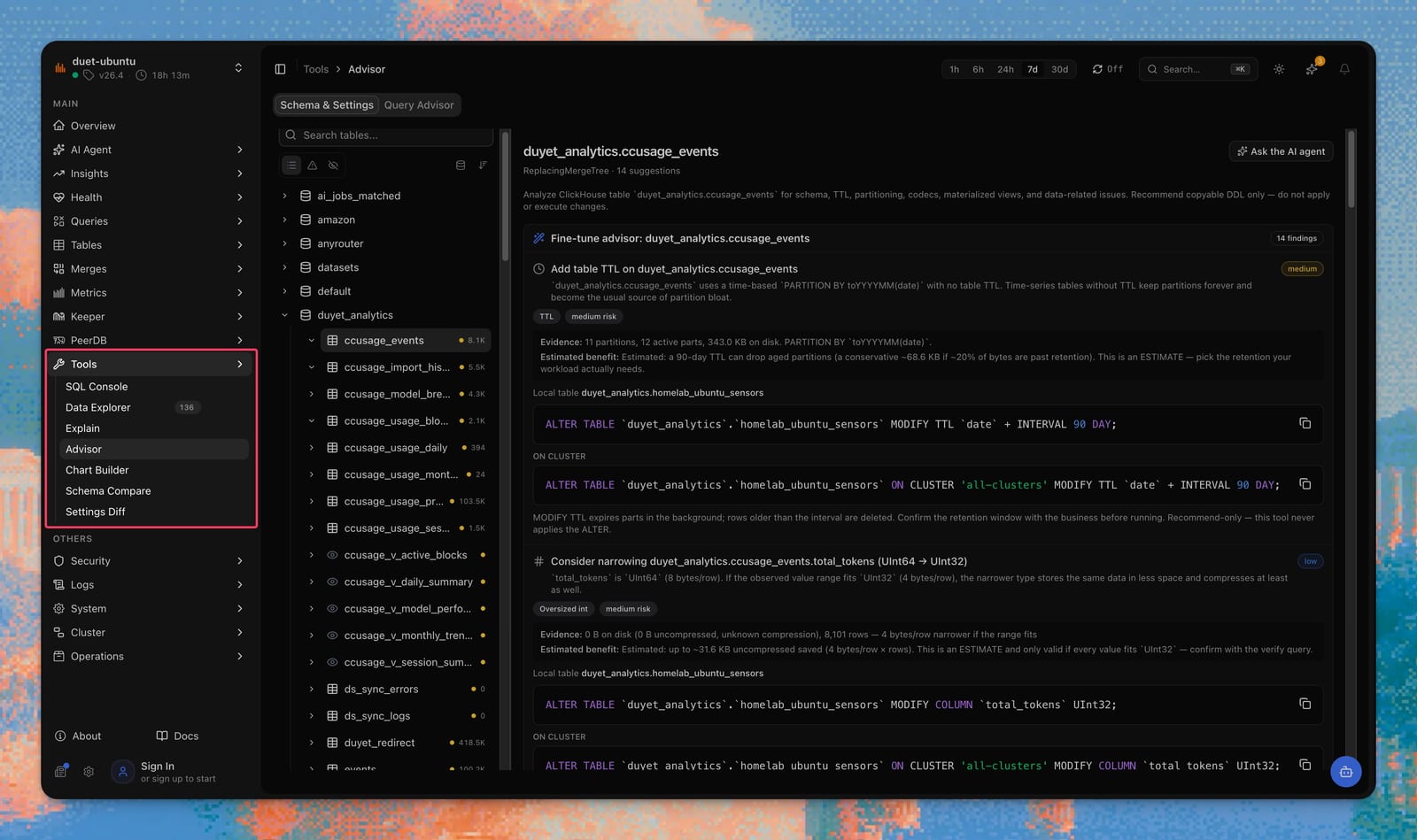
SQL Console, Explorer, and Explain used to sit under Queries, Tables, and Operations. They now live together in Tools, the last group in Main: SQL Console, Data Explorer, Explain, Advisor, Chart Builder, Schema Compare, and Settings Diff. AI Agent stays its own group. Postgres hosts do not see Tools at all.
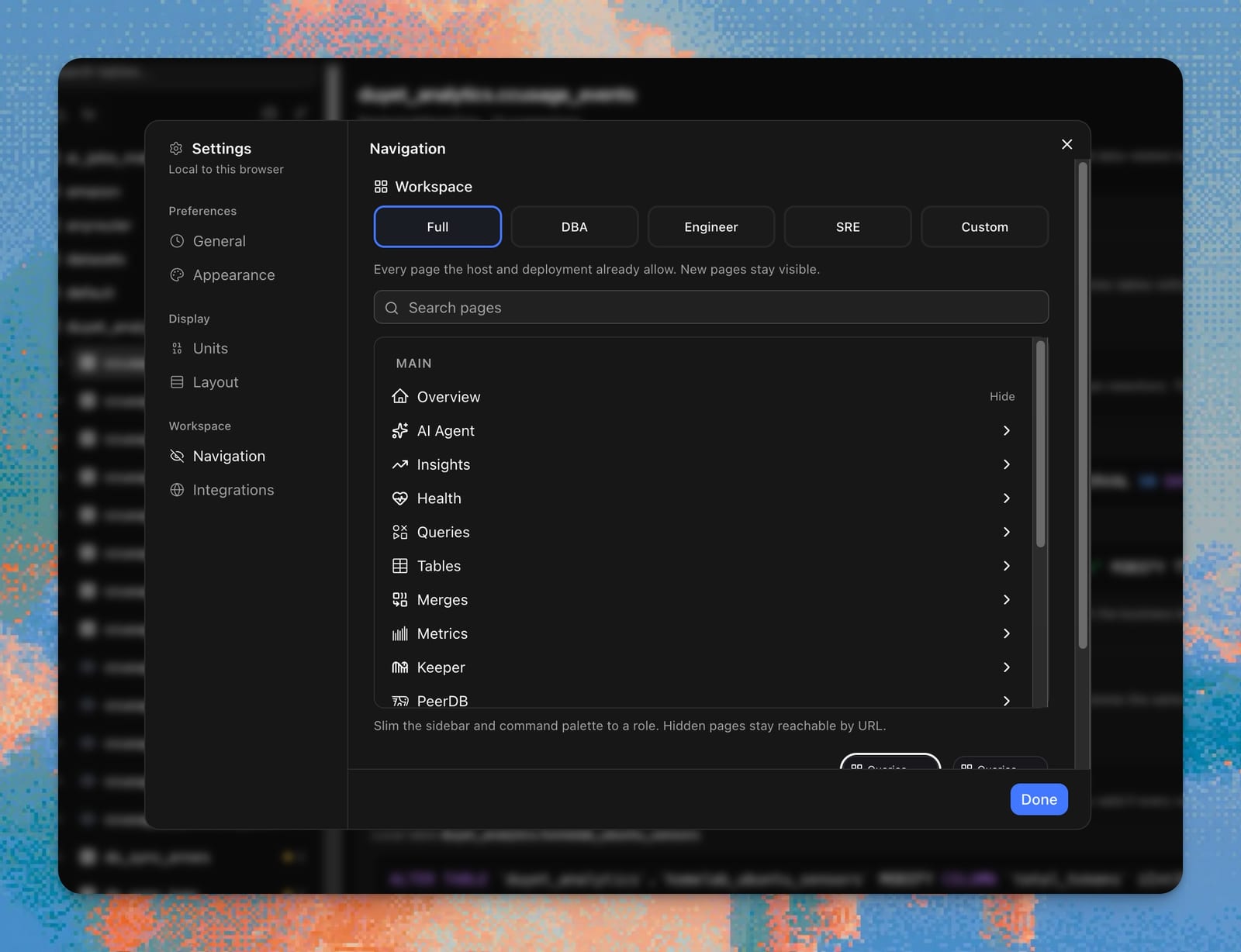
The sidebar can follow the job, not the whole product. In Settings, pick Full, DBA, Engineer, or SRE and the Navigation tree remounts collapsed so you can scan groups instead of a wall of checkboxes. Hover Hide next to Pin on a leaf; an undo toast appears, and restore always lives in Settings → Workspace → Navigation. The longer argument is A DBA, an SRE, and an engineer should not share a sidebar.
Schema Compare and Settings Diff
DBA workflows is the map of what these pages do today.
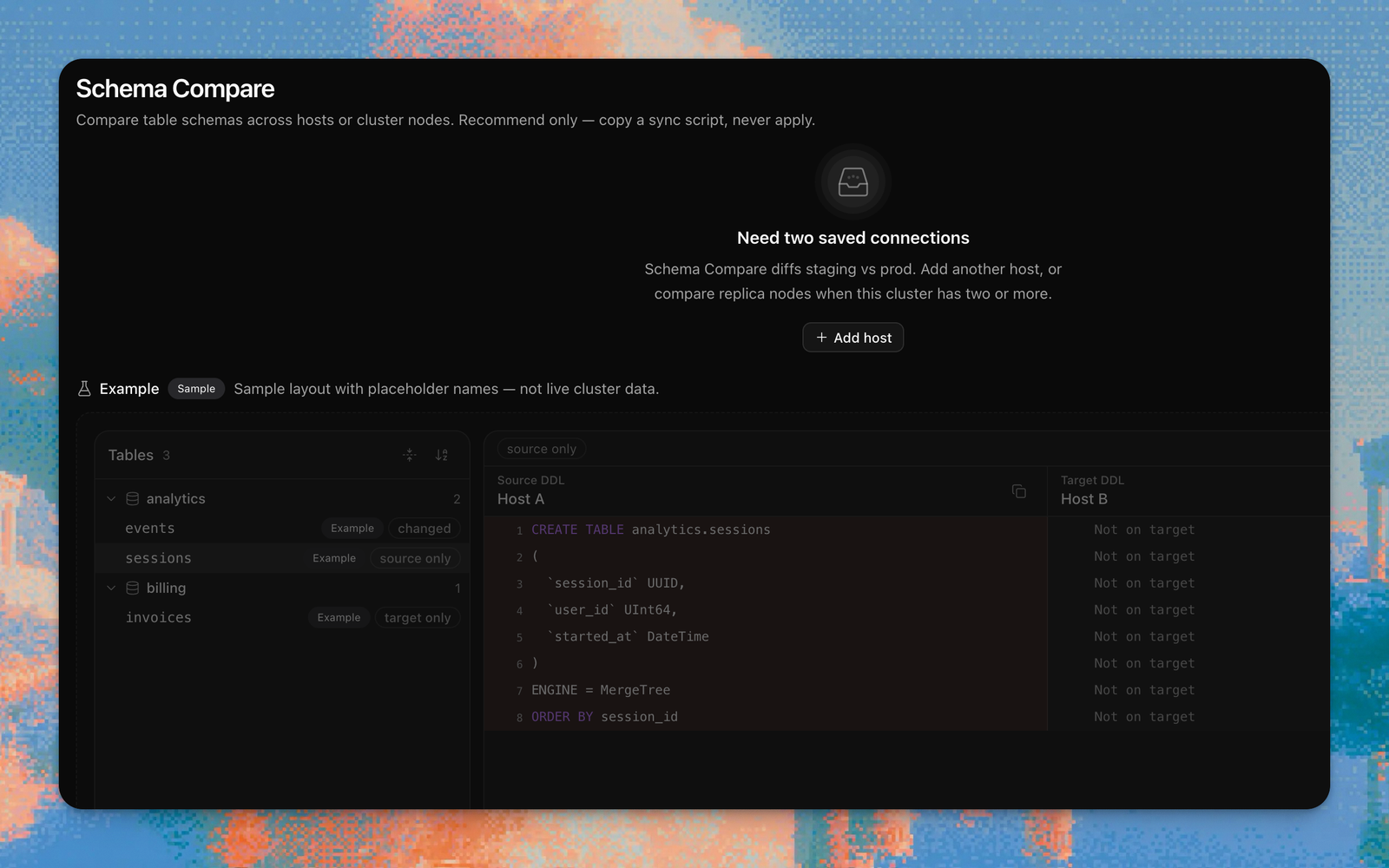
Schema Compare diffs CREATE TABLE
across saved connections, or node vs node on this cluster. One host is not
enough — add a second, or compare replicas. The change plan is copy-only; it
never applies DDL. Settings Diff
does the same for system.settings and system.merge_tree_settings. Filter
to rows that differ, or to values changed from default. When every setting
matches, the page says All matched.
Advisor can emit a local statement plus
an ON CLUSTER variant when it knows the topology. Same rule: recommend
only.
Cluster ops
TTL and partition health
lists every MergeTree table’s TTL and PARTITION BY, with partition and part
counts. Tables without TTL still appear. The page does not run ALTER TTL or
DROP PARTITION. Explorer table Overview now runs the same recommend-only
schema lint as Advisor.
Next to Settings, a newspaper icon opens What’s new — notes from
docs/whats-new/ for each tagged version, newest first. It auto-opens once
after an upgrade.
Agent
On Cloud, guests can chat with the agent
(still under the v0.3.3 guest cap). Keyless Firecrawl MCP is connected by
default (CHM_AGENT_FIRECRAWL_MCP; opt out if you do not want it). Follow-up
suggestions sit on the composer and know which tools just ran. Messages, tool
cards, and markdown are tighter, and the tool loop stops at 16 steps.
Licenses
We transformed our SaaS Cloud seat model to a self-hosted host-count license. The full argument is We’re selling self-hosted licenses.
Upgrade
Self-hosters: pin this tag and follow the guide you already use.
docker pull ghcr.io/chmonitor/chmonitor:v0.3.4Docker is the fastest path. On a cluster, use the Kubernetes chart. Edge deploys go through Cloudflare Workers or Vercel. A bare VM can run the Node / standalone build, optionally behind Traefik. There is a one-click starting point, and a production checklist before you expose the instance. The index for all of that is Deploy.
Cloud (dash.chmonitor.dev) already has this release. Nothing to migrate.
The full changelog is in the GitHub release.