

If you last used chmonitor on v0.2, this is the post to read. Since v0.2.16 there have been 95 new features, 179 fixes, and 10 performance improvements. Here’s the 60-second version.
What’s new since v0.2
Less menu
The v0.2 sidebar showed everything at once: 16 menus and 93 pages, most of them expanded. v0.3.6 starts with the pages you use every day — Overview, Queries, Data & Storage, Alerts & Insights, Tools & AI — and puts the rest under More, where you can search hidden pages or pin them back.
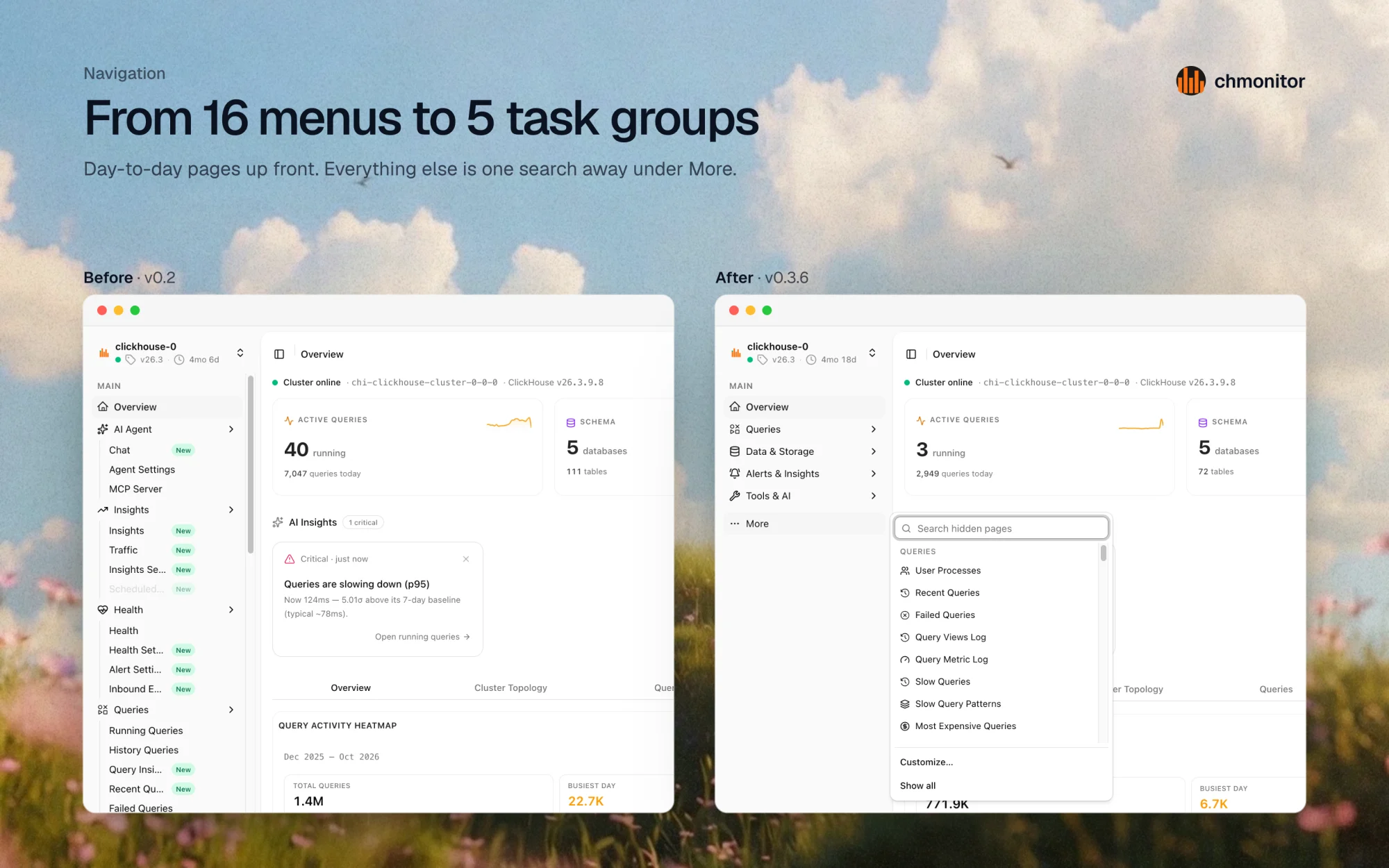
Every page can be pinned, hidden, or kept in the sidebar from its header. Workspace roles (Full, DBA, Engineer, SRE) set a starting point, and you can customize from there.
More cluster
Faster where it counts
| Before | After | |
|---|---|---|
| Repeat chart query (served from cache) | 3.58s | 0.17s |
| Idle polling on Overview | 132 req/min | 73 req/min |
| JavaScript on Overview | 6.9 MB | 5.0 MB |
| Settings requests per page load | 16 | 1 |
Idle polling was measured live on a v0.2 and a v0.3.6 deployment, 60 seconds idle on Overview. The other rows come from our frontend performance baseline.
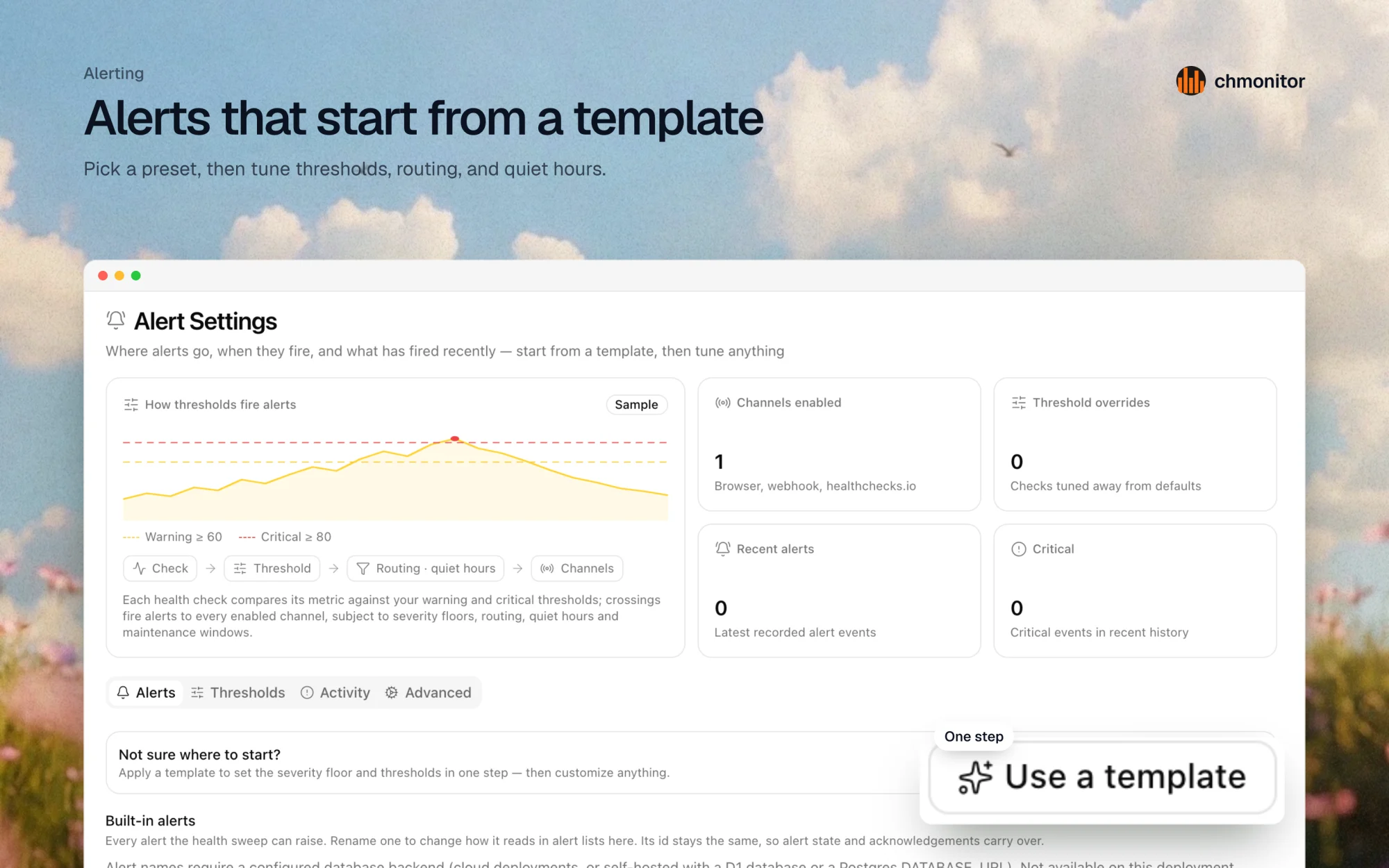
Alerts you can set up in minutes
Alert Settings starts from a template instead of a wall of forms. Each health check compares its metric to warning and critical thresholds, then routes the alert to your channels, with severity floors and quiet hours. Custom webhook targets can be configured through Helm.
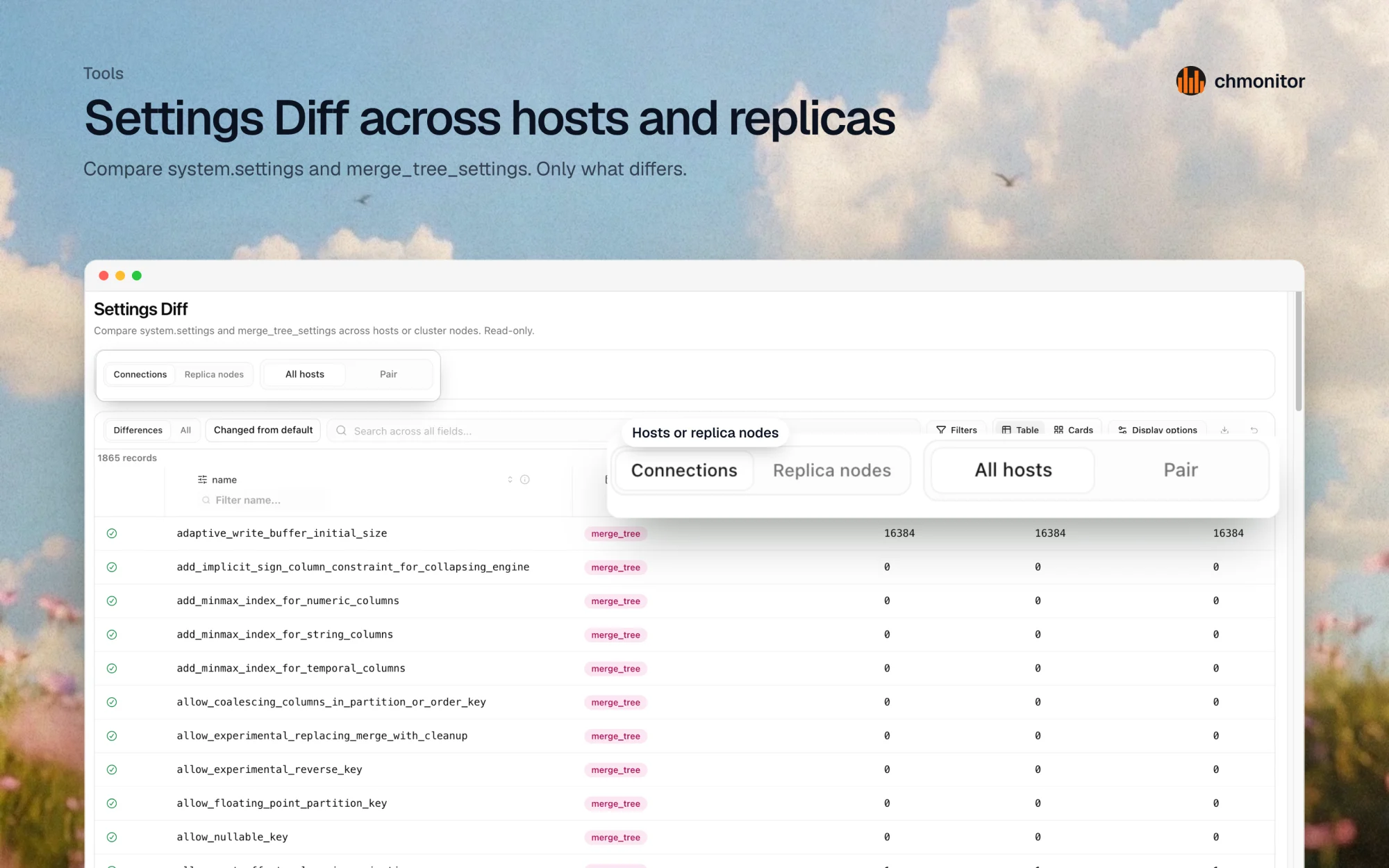
Compare hosts and replicas
Settings Diff compares system.settings and merge_tree_settings across
hosts or replica nodes and shows only what differs. Schema Compare does the
same for CREATE TABLE statements and gives you a copy-only sync script — it
never applies changes.
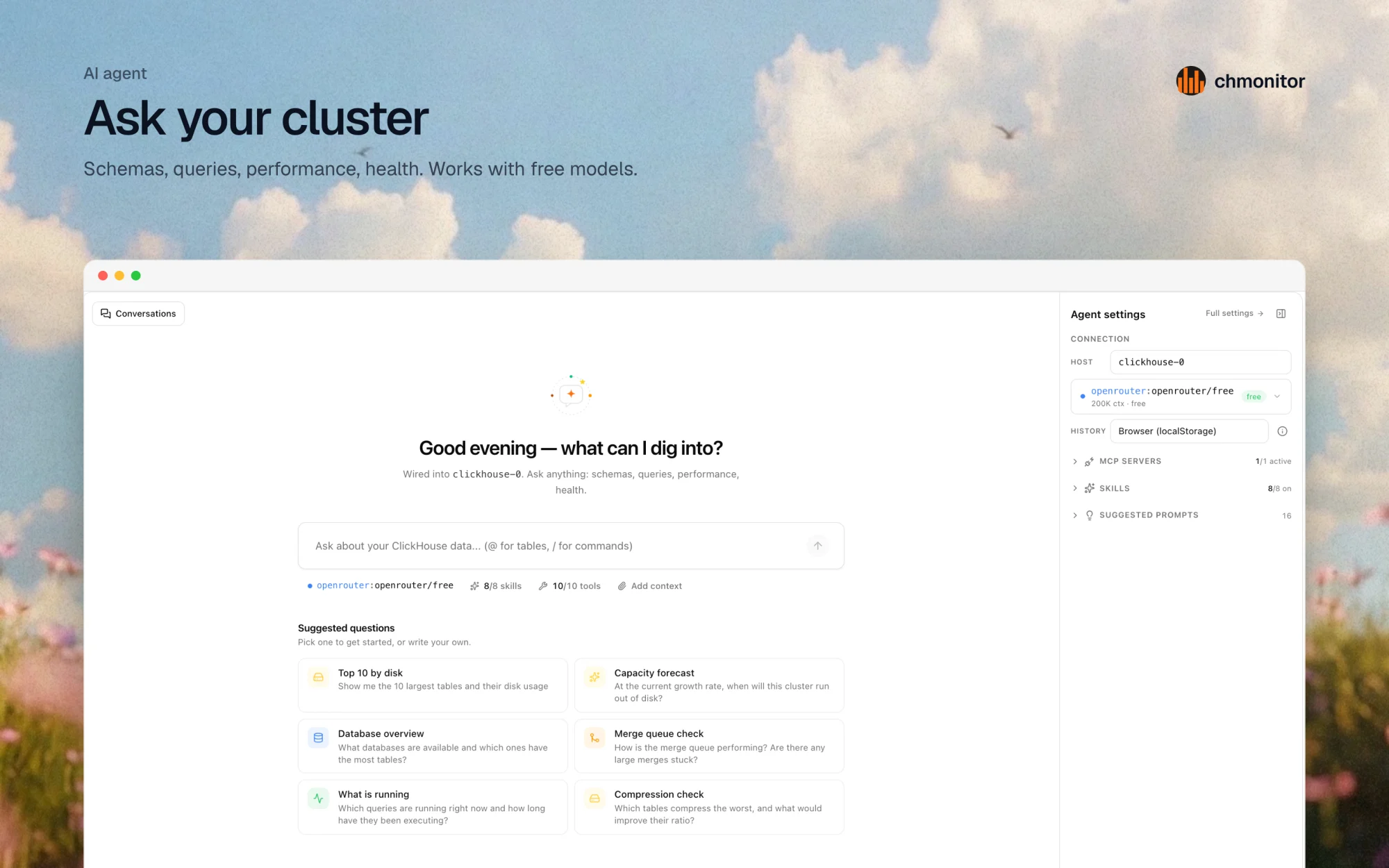
Ask your cluster
The AI agent is wired into the connected host. Ask about schemas, queries, performance, or health, or start from a suggested question like “Top 10 by disk” or “Merge queue check”. It reads system tables through MCP and works with free models.
Beyond ClickHouse
Postgres monitoring (beta) and PeerDB CDC sit next to your ClickHouse clusters. PeerDB now has a full alert cycle — see the v0.3.5 notes for the details.
Upgrading from v0.2
v0.3 moved the dashboard from Next.js to TanStack Start. ClickHouse connection
variables are unchanged. Client NEXT_PUBLIC_* variables become VITE_*, and
the old names still work as a fallback. Follow
Migrate to v0.3 for the
per-platform steps.
docker pull ghcr.io/chmonitor/chmonitor:0.3.6Read more
- chmonitor v0.3 — the TanStack Start release
- chmonitor v0.3.4 — Tools menu, workspace roles, Schema Compare, Settings Diff
- chmonitor v0.3.5 — PeerDB alerting, local CLI, quieter sidebar
- GitHub release v0.3.6